
9.5Live operation notifications
Last updated
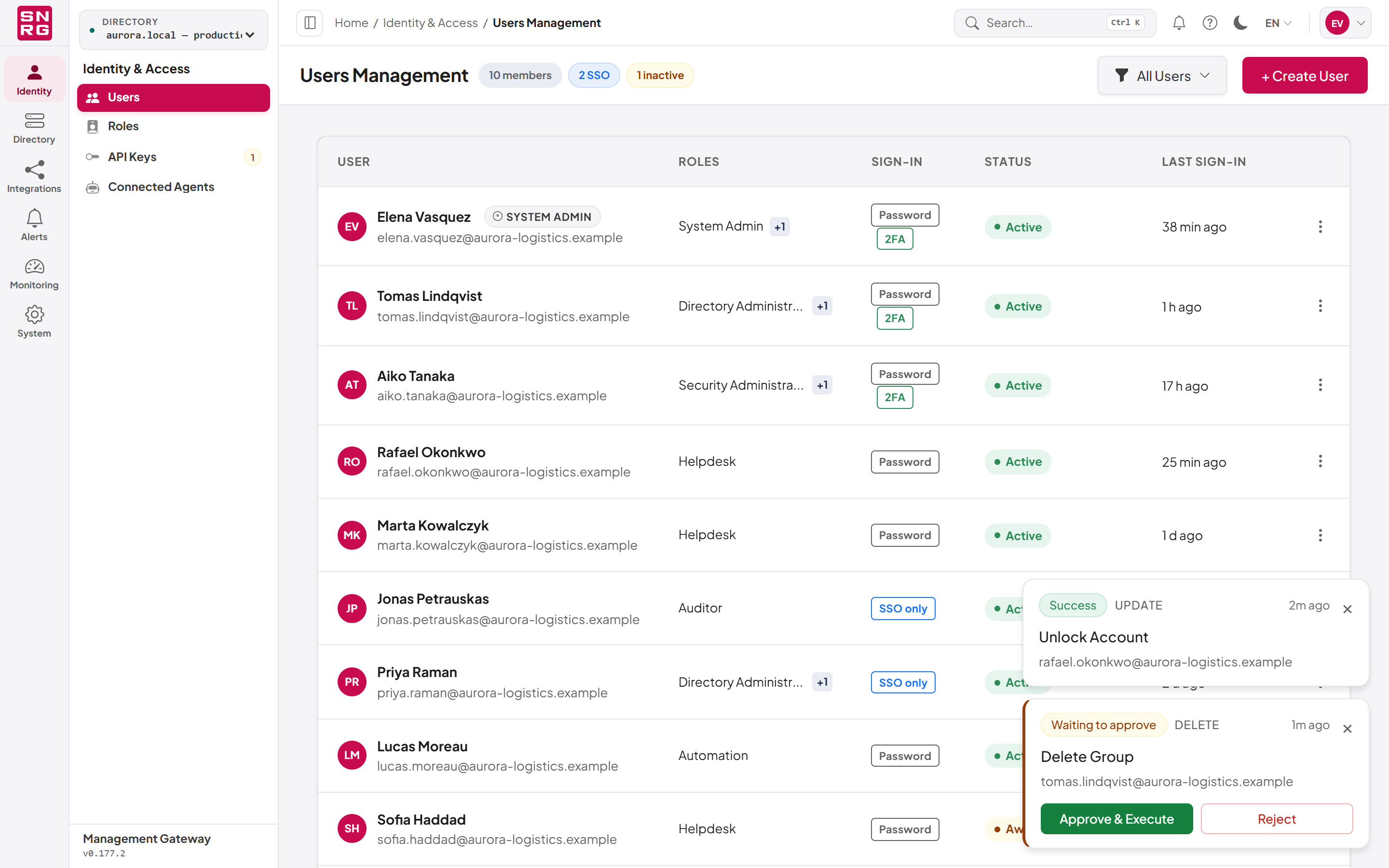
While you work anywhere in the console, the platform can show operations as they happen as small cards in the corner of the screen (the Live operations stack).
- Who sees them: anyone whose active role holds
audit:list, for operations in the directories that role may use, plus platform changes. - Informational cards show the status, action, operation name, requester and how long ago it happened (for example "2m ago"). They disappear after about six seconds, or when you select the × button.
- Approval cards appear for a waiting operation if your role holds
operations:approve. They do not time out and show Approve & Execute and Reject; the × button hides one without deciding it. When somebody decides the operation elsewhere, the card disappears by itself. - At most five cards are shown. When more arrive, the oldest informational card is removed first.
- Open your profile (see Chapter 3, Signing in and your account).
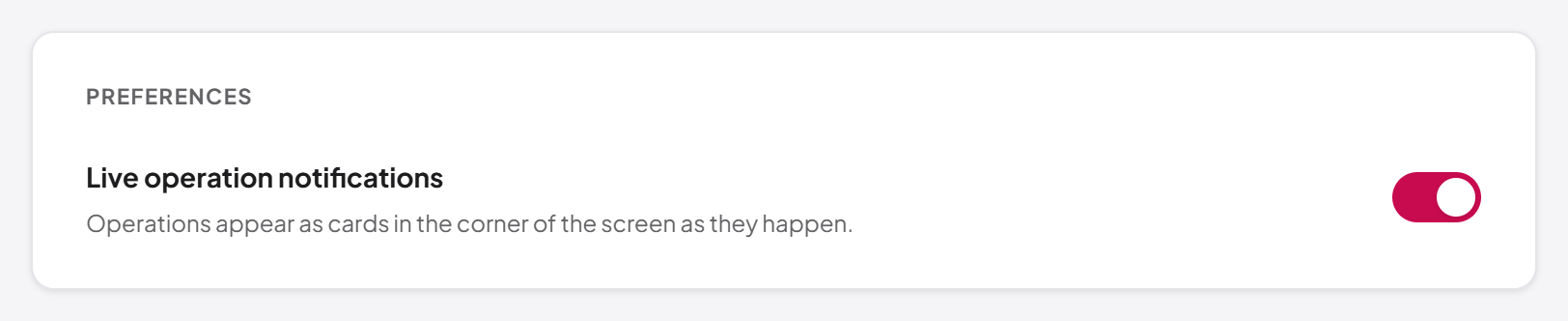
- Switch Live operation notifications on or off.
The change takes effect immediately, with no reload. Turning notifications off removes the cards and stops new ones. It does not stop the Operations and My Waiting Operations pages from refreshing themselves while they are open.
Last updated
Thank you for your feedback.