
1.6System requirements
Last updated
Server
| Requirement | Detail |
|---|---|
| Operating system | Windows Server 2016 or later, 64-bit. The installer refuses older systems. |
| Web server | IIS (the Web Server role), with an existing site and an HTTPS binding |
| Runtime | ASP.NET Core 10 Hosting Bundle (includes the .NET 10 runtime and the IIS module). The installer refuses to install without it. |
| Windows sign-in (optional) | The IIS Windows Authentication role service, an HTTPS site and a service principal name for the site's host name |
| Rights during setup | Local administrator |
Database
| Provider | Use |
|---|---|
| Microsoft SQL Server | Recommended for production |
| PostgreSQL | Supported |
| SQLite | Evaluation only |
For SQL Server and PostgreSQL the database must exist before you run the setup wizard; the wizard does not create it. The product creates and upgrades its own tables when it starts.
Directory
- Active Directory Domain Services, reachable from the server over LDAP (port 389) or LDAPS (port 636).
- For each directory, a service account with the delegated rights you want the product to exercise. The product can never do more in a directory than its service account is allowed to do there.
Network
- Outbound HTTPS from the server to
public-hub.synergy.lton port 443 for licensing and updates. - HTTPS from your users' browsers, integration systems and AI agent clients to the server.
Browser
The console is a modern web application. Use a current version of a mainstream browser such as Microsoft Edge, Google Chrome or Mozilla Firefox, with cookies and JavaScript enabled.
Finding the product version
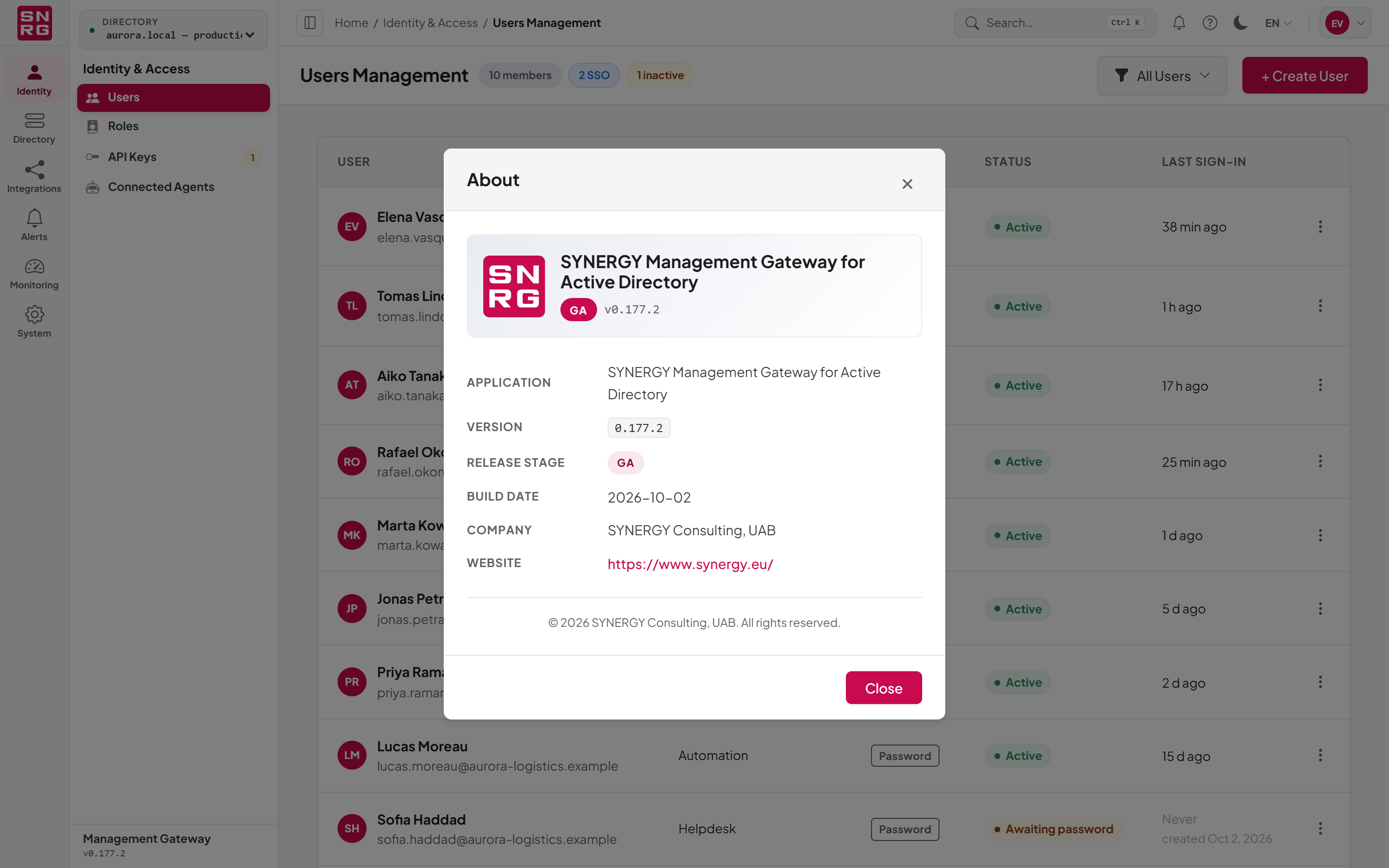
The About dialog shows the application name, version, release stage, build date and vendor. Have the version number to hand when you contact support or submit a bug report.
To open the About dialog:
- In the console's top bar, select the Help button (the question-mark icon).
- Choose About. The menu entry also shows the version number.
- Select Close when you have finished.
The version is also shown at the foot of the navigation panel. The same Help menu offers Release notes (the address comes with the product build), Keyboard shortcuts, Send feedback and Report a bug.
Last updated
Thank you for your feedback.