
8.4Running a saved filter
Last updated
In the Directory Browser
Saved filters are run from the Directory Browser:
- Open the Directory Browser on the directory you want to search. See Chapter 6, Directory Browser.
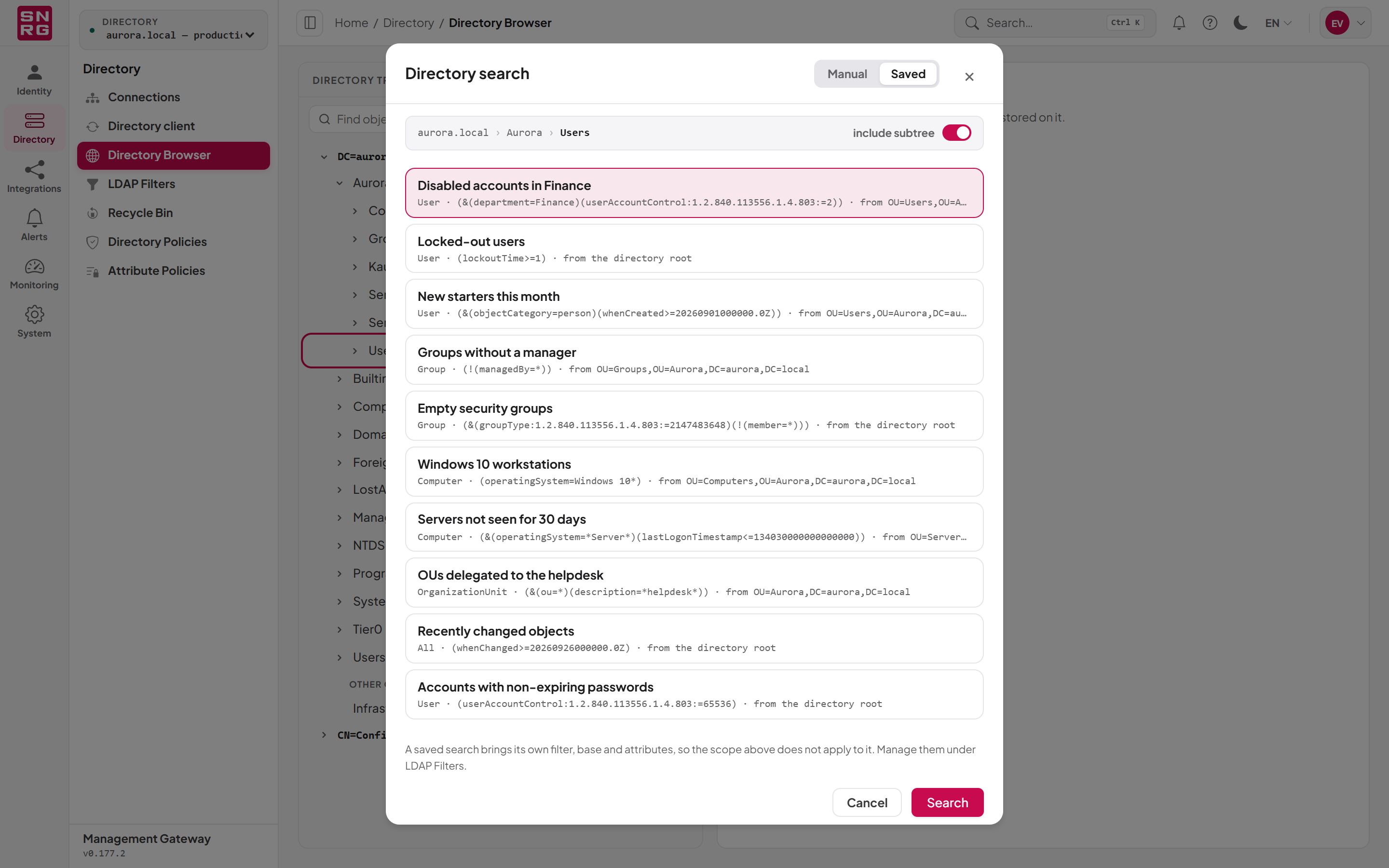
- Right-click any container and choose Run a saved search…. If the Directory search dialog is already open, select Saved in the Manual / Saved switch at the top.
- Choose a saved search from the list. Each entry shows its name and where it searches from ("from OU=…" or "from the directory root"). The list offers the first 100 saved searches.
- Select Search.
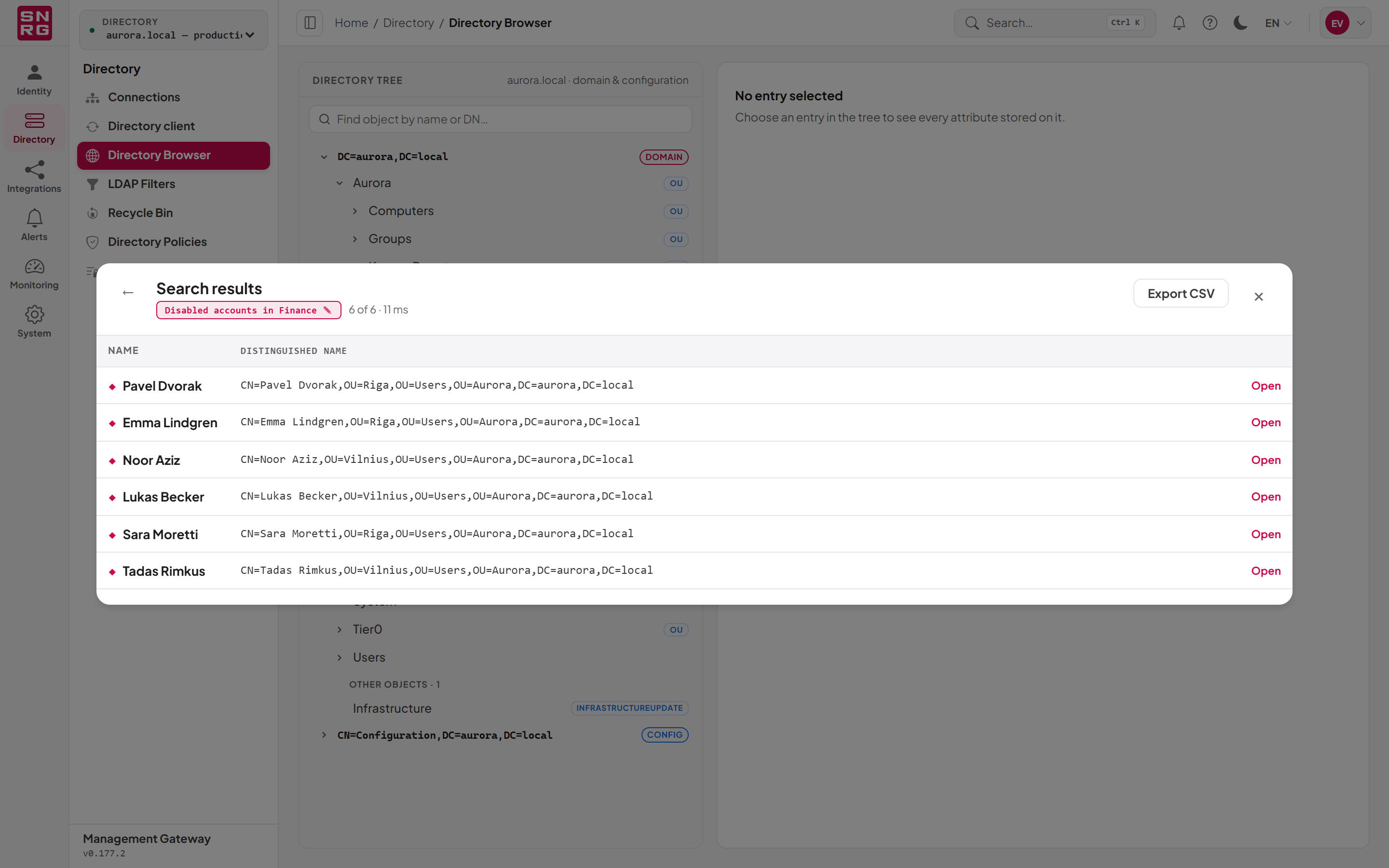
The results open in the Search results panel. The line under the heading names the saved search that ran, the count shows how many objects were returned and how long the search took, and the table shows each object's Name and Distinguished name. The attributes stored with the filter are not shown as columns here, and Export CSV exports the same two columns; to see them, open an object, or run the filter from automation or the REST API, which return them. From the results you can:
- Select a row, or Open, to go to that object in the tree.
- Select Export CSV to download the results.
- Select Load next page when more results are available.
- Select the back arrow or the line naming the saved search to return to the query.
Note: A saved search brings its own filter, base DN and attributes, so the container you right-clicked and the scope shown in the dialog do not apply to it. The dialog says so under the list.
The Saved option appears only when you hold both savedfilters:list and savedfilters:execute. If you can run saved searches but not search manually, the dialog opens directly on Saved.
Every run is recorded
Each run of a saved filter is recorded in the operations log as a directory operation, under the directory it ran against, like other directory reads that are audited. See Chapter 9, Operations log, approvals and waiting operations.
From automation
Saved filters are designed to be reused by integrations:
- n8n: the SYNERGY Management Gateway node offers Run Saved Search and Search by Saved Search operations on the Object resource, with a picker listing the saved searches. See Chapter 14, n8n integration.
- AI agents: the MCP server offers a Search by Saved Search tool that runs a saved filter by its identifier. See Chapter 13, AI agents (MCP server).
- REST API: see the next section.
In every case the caller needs savedfilters:execute, the installation needs an active licence (and, for an agent, the MCP module), and the filter runs against the directory connection the caller's credential is bound to.
Last updated
Thank you for your feedback.