
10.6Where supervision levels are set
Last updated
On an API key
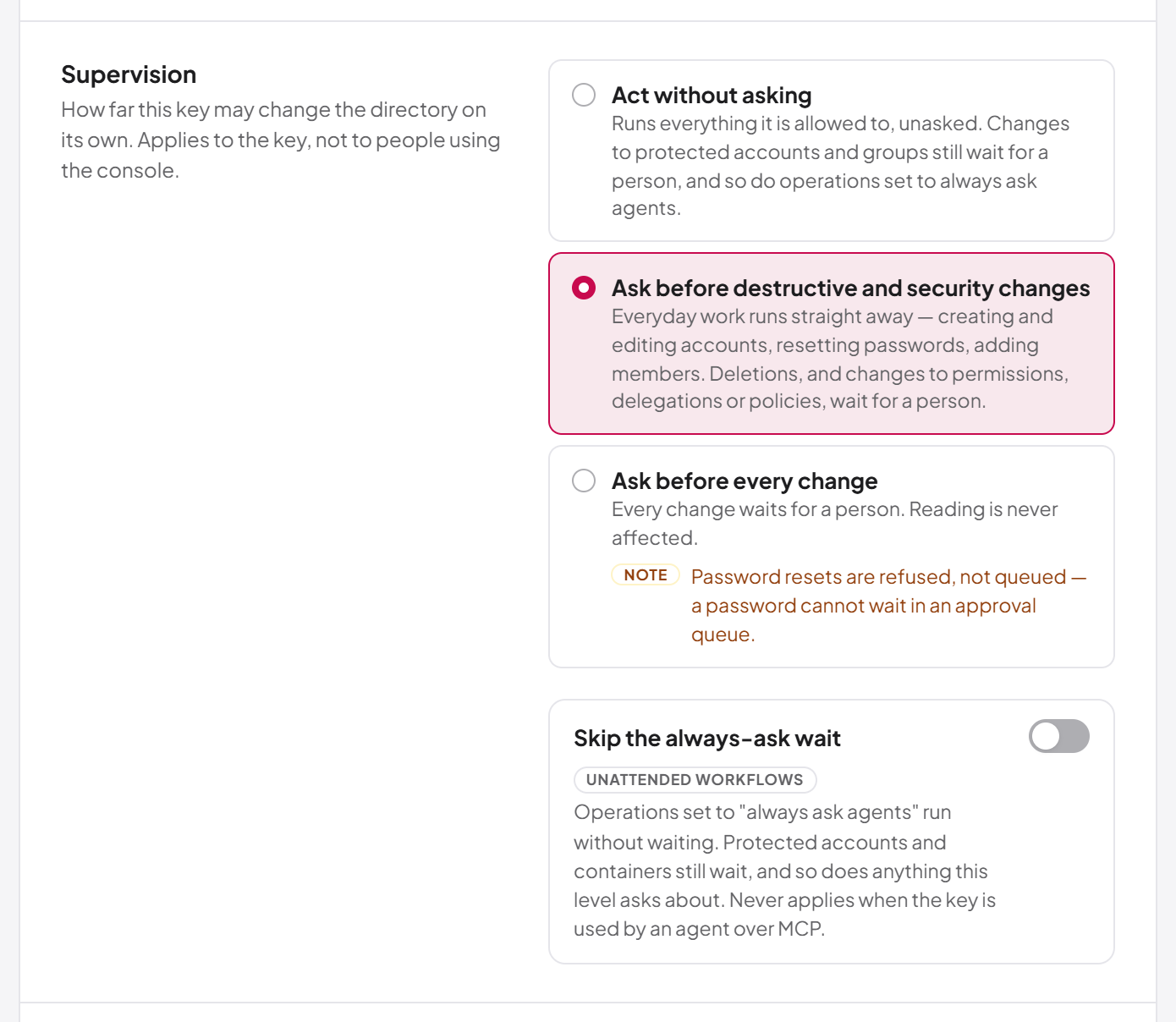
The supervision level of an API key is chosen when the key is created and can be changed on its edit page, in the Supervision section: "How far this key may change the directory on its own. Applies to the key, not to people using the console." The same section holds the always-ask exemption. See Chapter 12, API keys, for the full procedure.
On a connected AI agent
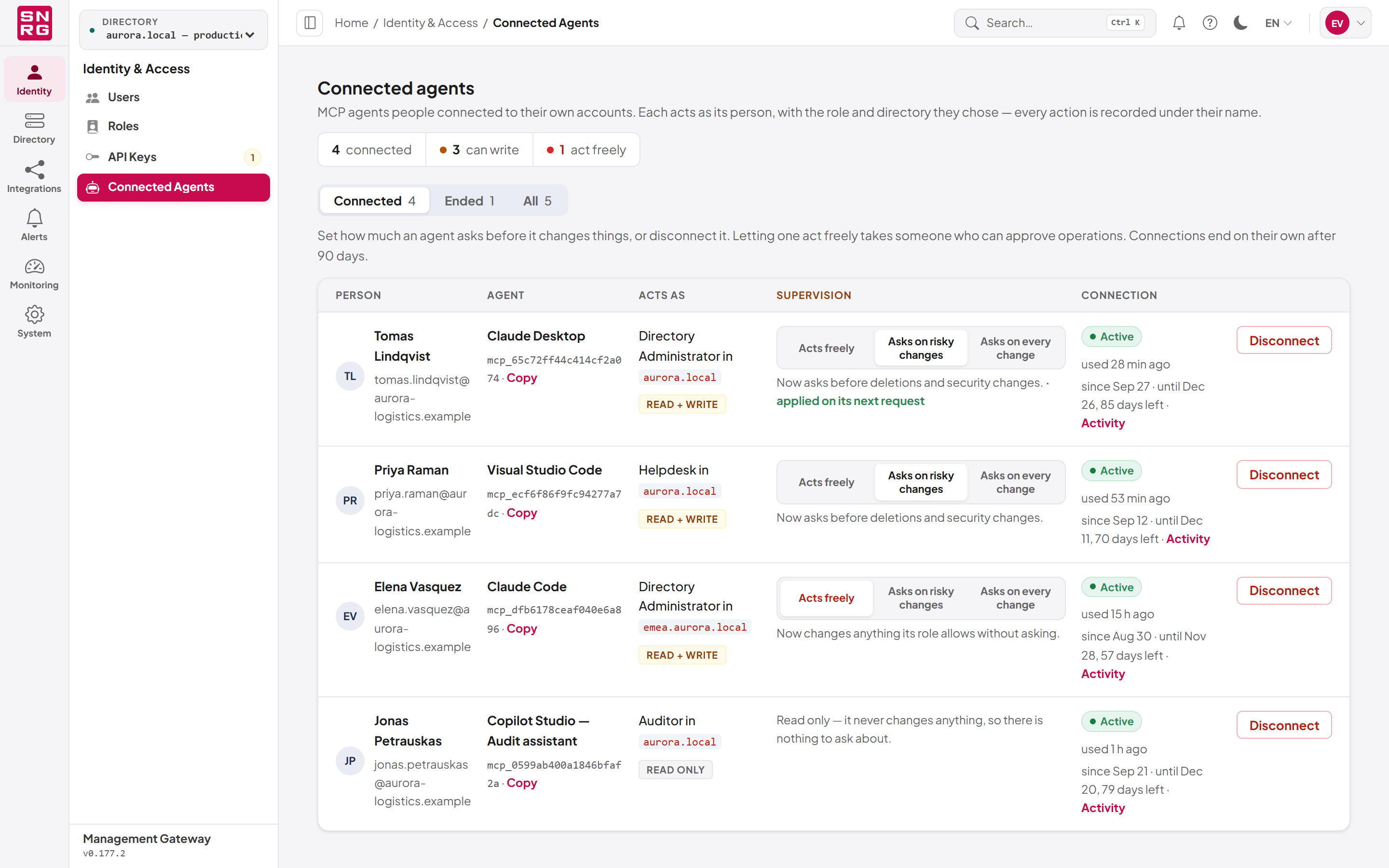
A person connecting an AI agent chooses its level on the consent screen when the agent is granted read and write access (see Chapter 13, AI agents (MCP server)). Afterwards, administrators can change it on the Connected agents screen.
Who can use it: you need agents:list to open Connected agents (navigation: Identity & Access, address /dashboard/connected-agents) and agents:manage to change a level or disconnect an agent. Choosing Acts freely additionally requires operations:approve.
The screen lists each agent with the Person it acts for, the Agent, what it Acts as (role and directory), its Supervision, and its Connection (when it was connected, when it ends and when it was last used), followed by the row's actions. The supervision column offers three steps:
| Step | Level |
|---|---|
| Acts freely | Unsupervised |
| Asks on risky changes | Guarded |
| Asks on every change | Supervised |
To change a connected agent's supervision:
- Open Connected agents.
- Find the agent in the list. Use the Connected, Ended and All filter to show current or past connections.
- In the Supervision column, click the step you want. A step you are not allowed to choose is shown locked.
- The change applies at once and is confirmed beneath the steps, for example "Now asks before every change."
A read-only agent shows Read only in place of the steps, because it cannot change a directory.
To disconnect an agent, click Disconnect and confirm with Disconnect now. It stops on its next request; anything already done stays in the operations log, and the person can connect it again themselves.
Note: A change of supervision takes effect on the agent's next request, not when its current access token expires. Changing a level is itself audited, and is refused while the audit store is unavailable; disconnecting an agent still works in that situation.
Last updated
Thank you for your feedback.