
7.4Restoring an object
Last updated
To restore an object:
- Find the object in the table, using the search or the type chips if needed.
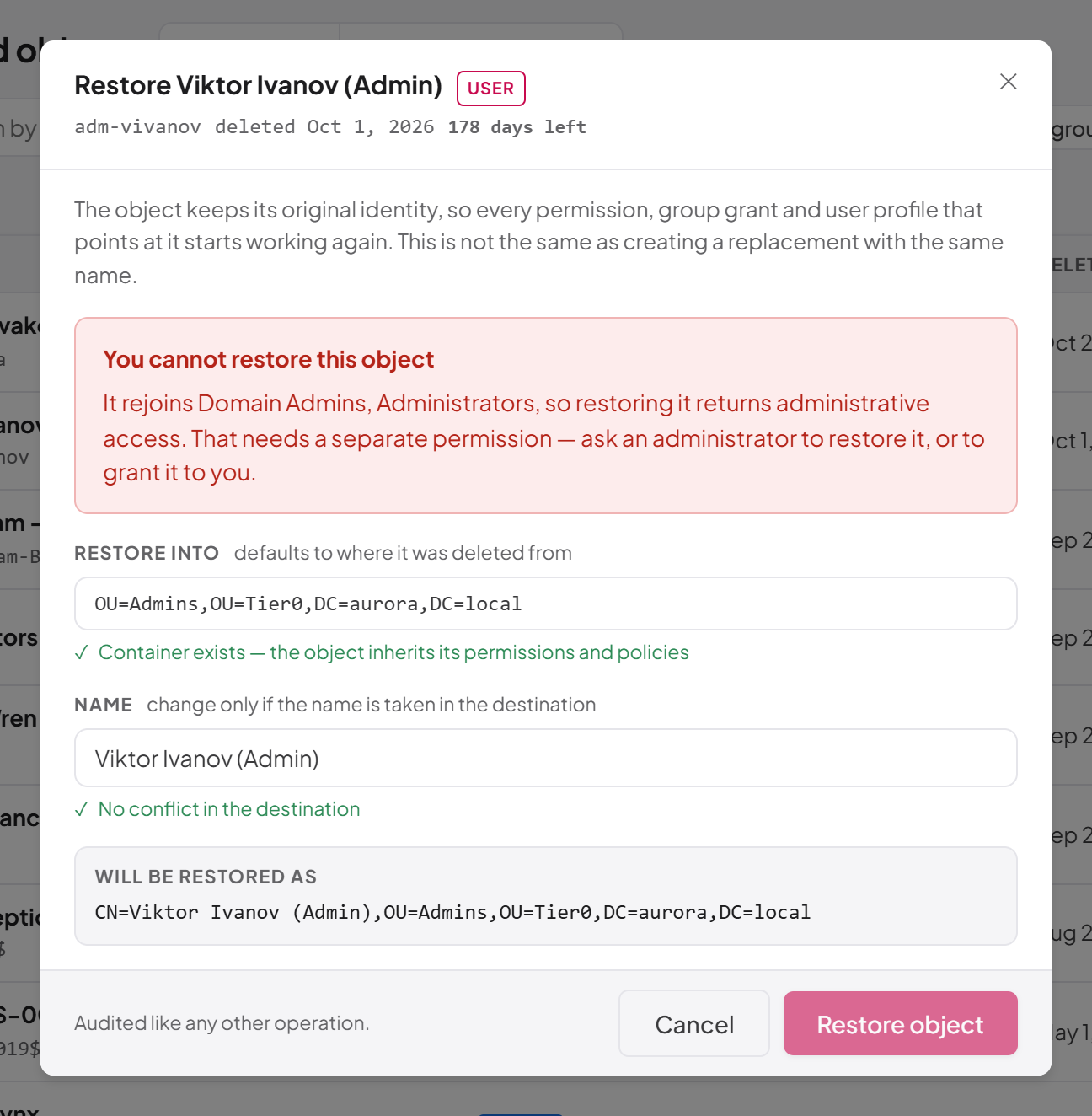
- Select Restore at the end of its row. The restore dialog opens, headed Restore followed by the object's name, with its type, account name, deletion date and time left underneath.
- Read the identity note at the top of the dialog and any warnings shown under it (see the table of warnings below).
- Check Restore into. It is prefilled with the container the object was deleted from. Leave it as it is to restore in place, or type the distinguished name of another container, for example
OU=Staff,DC=example,DC=com. - Check Name. It is prefilled with the object's original name. Change it only if something else now has that name in the destination.
- Wait for the checks under each field, then review Will be restored as, which shows the exact distinguished name the object will have.
- Select Restore object.
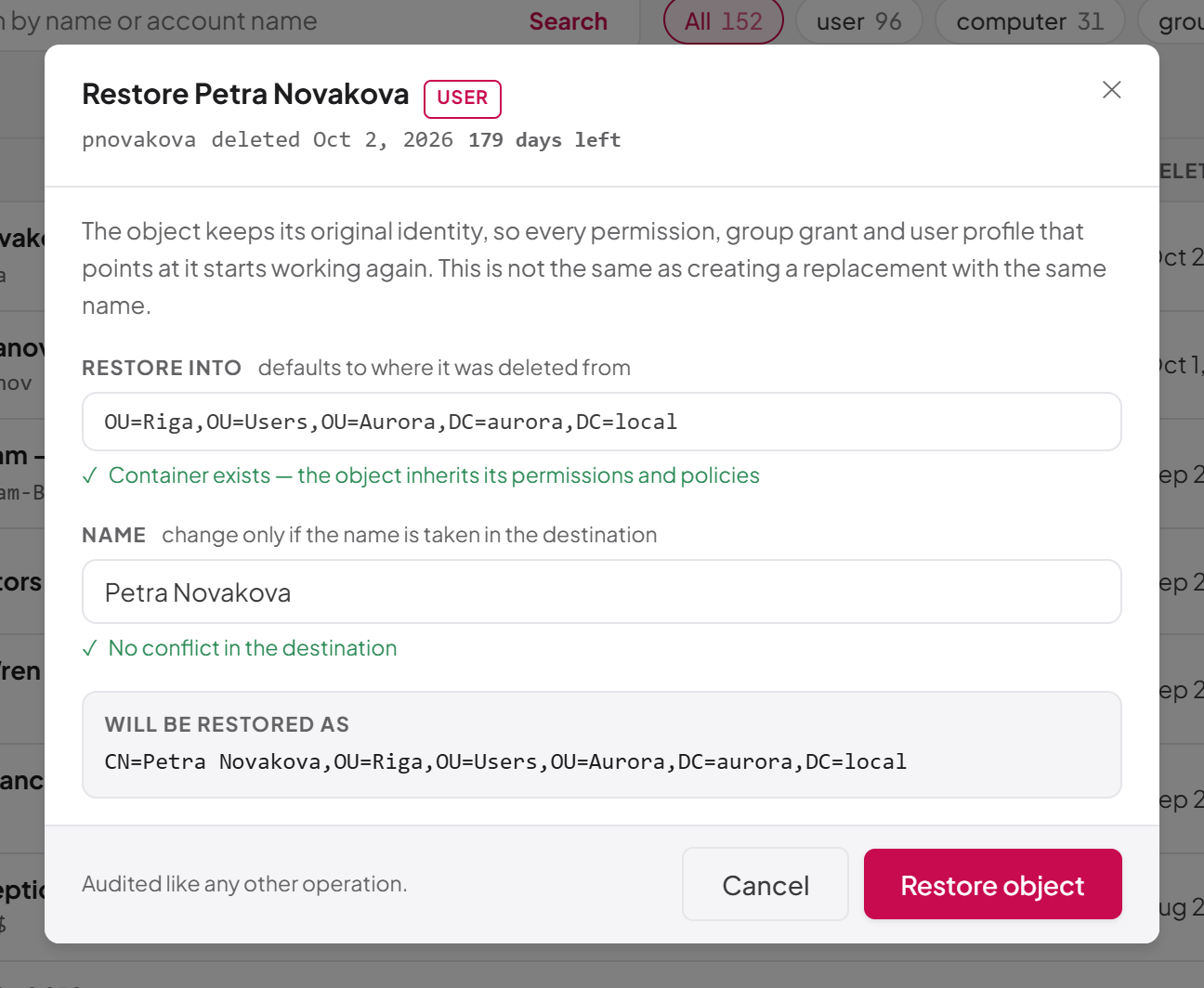
- Browse the restored object: opens the Directory Browser on the restored object (shown when you hold
ad:directory:read). See Chapter 6, Directory Browser. - Review what can be put back: shown only when the object came back without its attributes and you hold
ad:deleted-objects:reapply-attributes. See the next sections. - Dismiss: removes the banner.
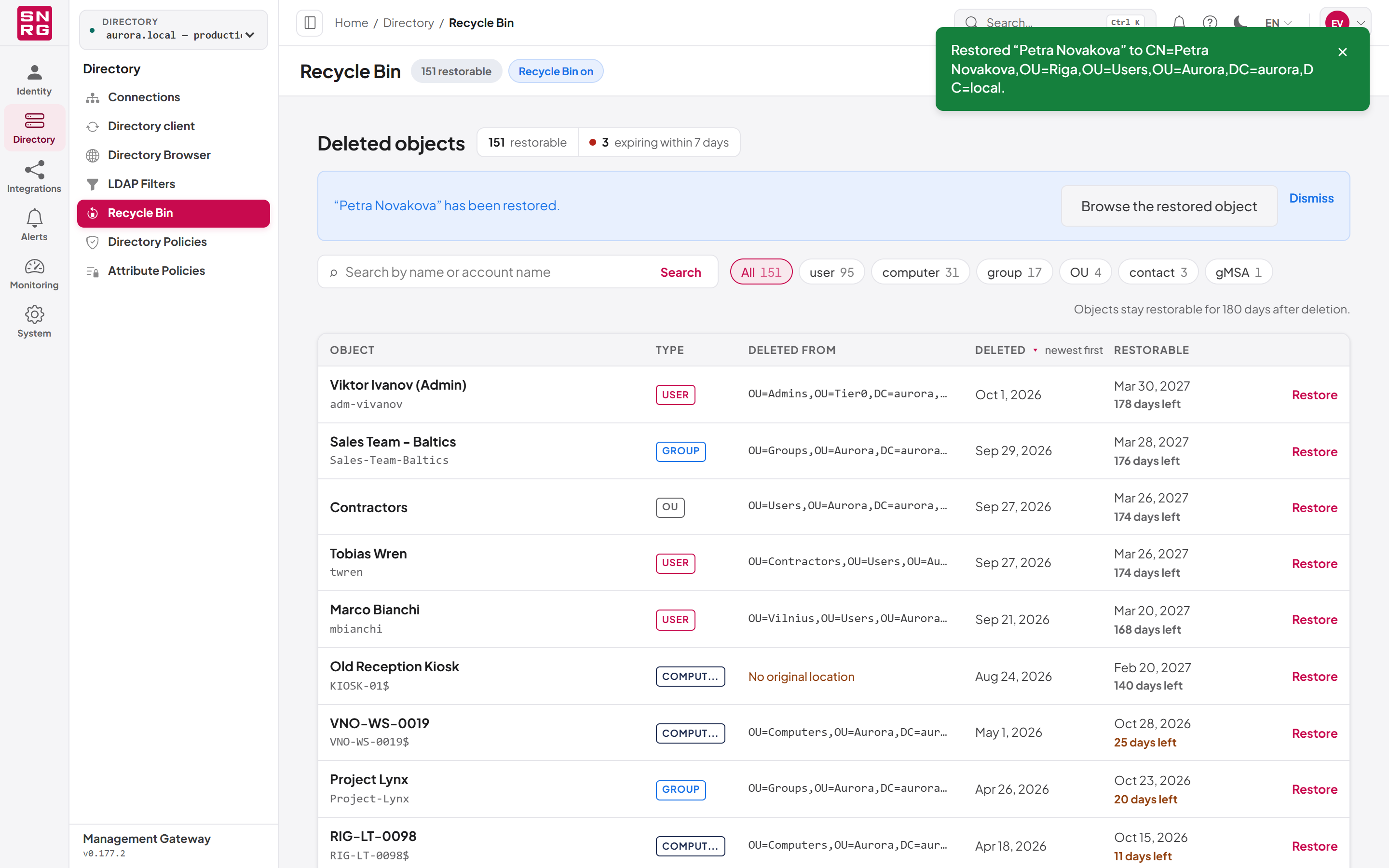
The checks in the restore dialog
The dialog checks your choices against the directory as you type, a moment after you stop typing, so that the common reasons for failure are visible before you submit rather than afterwards. It uses the same logic as the restore itself, so what it reports is what the restore will do.
| Field | Message | Meaning |
|---|---|---|
| Restore into | Container exists — the object inherits its permissions and policies | The destination is there; the object will inherit the permissions and Group Policy of that container |
| Restore into | That container does not exist, or has itself been deleted | Choose another destination. The container an object came from is often deleted together with it |
| Restore into | Choose a container — the directory recorded none for this object | No original location was recorded; type a destination |
| Name | No conflict in the destination | The name is free in the chosen container |
| Name | Something already has this name in the destination — choose another | Type a different name |
| Name | Another object already holds the account name … | Another live object uses the same account name. The restore will be refused until you resolve that in Active Directory |
The account-name warning never disables the button, because account names must be unique across the whole domain and there is no field in this dialog that can fix that; you resolve it by renaming or removing the other object in Active Directory.
The Restore object button stays disabled when a destination is required but empty, when the destination is not a distinguished name, when the check says the restore cannot succeed, or when the object is privileged and you do not hold the privileged-restore permission.
Note: The checks need bothad:deleted-objects:restoreandad:objects:read, because checking whether a container exists is a directory read. If you hold only the restore permission, the dialog still works but shows no check lines; the restore itself gives the definitive answer.
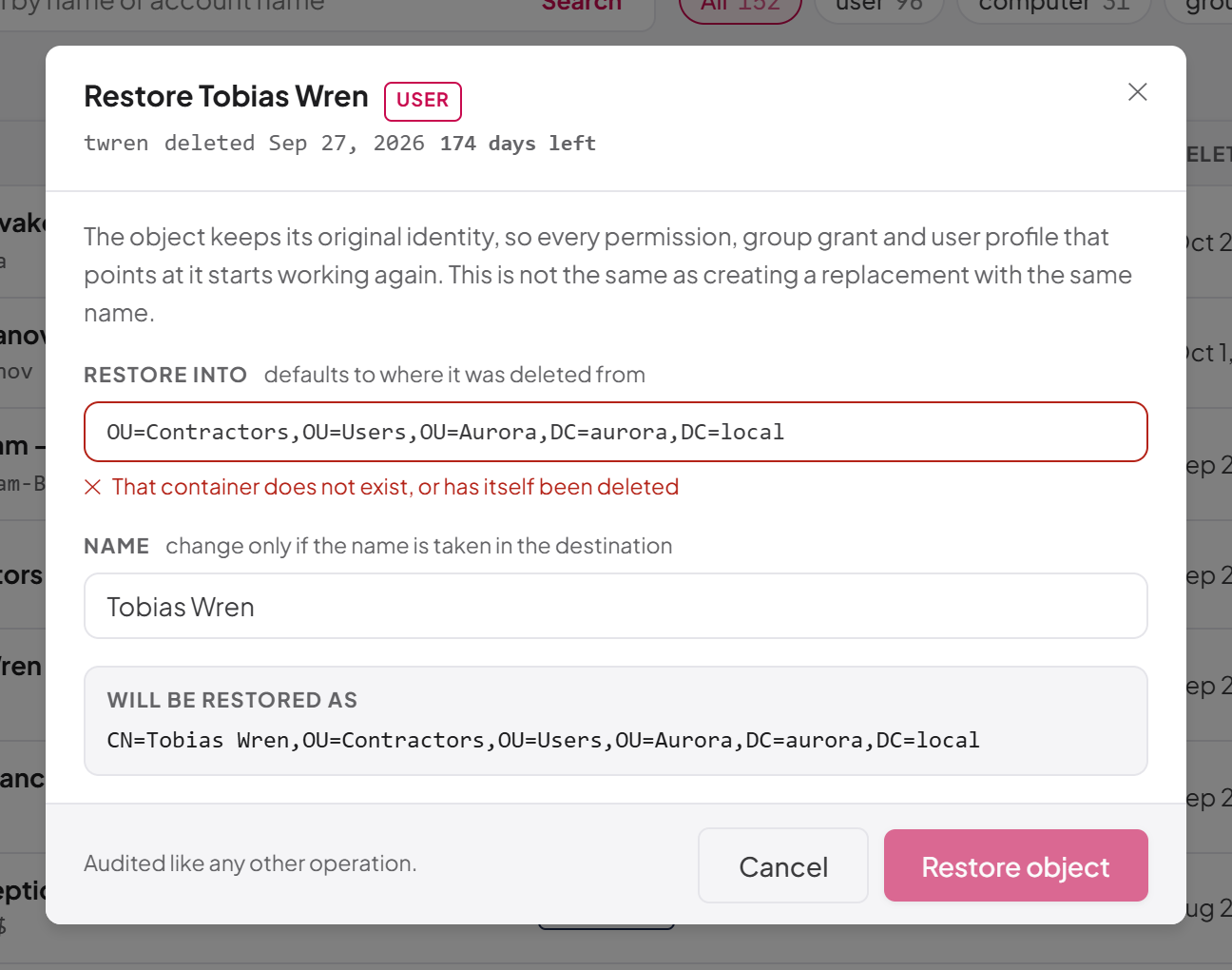
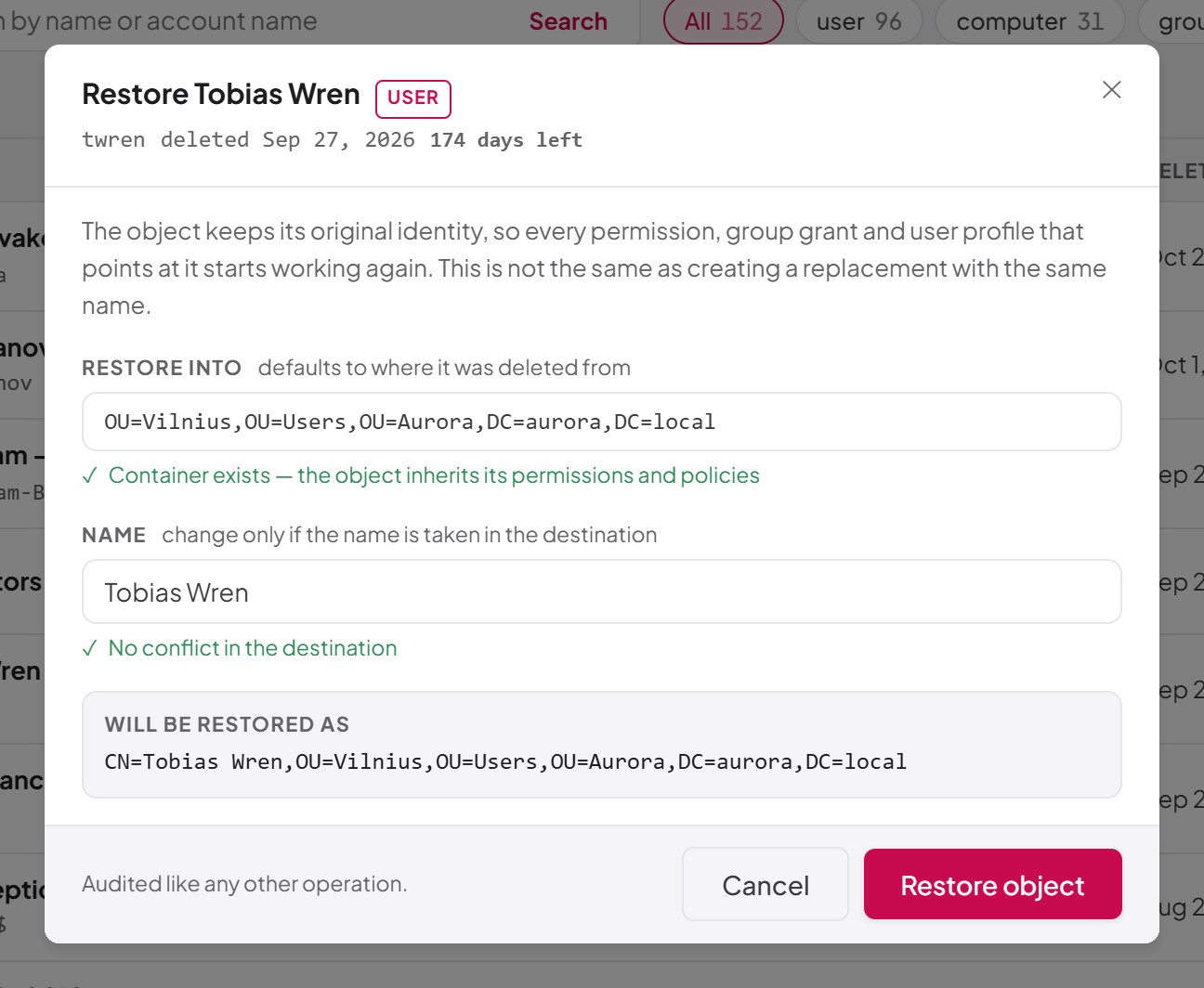
Warnings in the restore dialog
| Warning | When it appears |
|---|---|
| Attributes will not be recovered | The Active Directory Recycle Bin feature is off. The object returns disabled and without its attributes or group memberships |
| This restores administrative privilege | The object is privileged and you may restore it. Read the warning before confirming |
| You cannot restore this object | The object is privileged and you do not hold the privileged-restore permission |
| "Active Directory did not record where this object was deleted from…" | No original location is known; you must enter a destination |
If the restore fails, the error is shown inside the dialog, so you can adjust the destination or name and try again without starting over.
Restoring privileged objects
Some objects are a privilege decision rather than a simple recovery. With the Active Directory Recycle Bin feature enabled, a restored account comes back with its original password, SID and group memberships, so restoring a deleted domain administrator hands back a working administrative credential.
The console treats an object as privileged when it would rejoin one of the domain's administrative groups, or when it is the built-in Administrator or krbtgt account. The groups recognised are Domain Admins, Domain Controllers, Cert Publishers, Schema Admins, Enterprise Admins, Group Policy Creator Owners, Read-only Domain Controllers, Administrators, Account Operators, Server Operators, Print Operators, Backup Operators and Cryptographic Operators. They are recognised by their fixed relative identifier, not by name, so a renamed or translated group (for example on a non-English domain) is still caught.
- If you hold
ad:deleted-objects:restore-privileged, the dialog shows This restores administrative privilege, names the groups the object rejoins, and lets you continue. - If you hold only
ad:deleted-objects:restore, the dialog shows You cannot restore this object and the Restore object button stays disabled. Ask an administrator to restore it, or to grant you the permission. Over the REST API the same request is refused with HTTP 403.
Important: Grant ad:deleted-objects:restore-privileged sparingly. It is deliberately not included in the Recycle Bin Operator template.Restores are audited and may need approval
Every restore is recorded in the operations log like any other directory operation, as the dialog's footer says ("Audited like any other operation."). If a restore is made through the REST API with an API key, it is subject to agent supervision and may be queued for a person's approval; a restore made by a person in the console runs or is refused on permissions alone. See Chapter 9, Operations log, approvals and waiting operations, and Chapter 10, Operation policies, attribute policies and agent supervision.
Last updated
Thank you for your feedback.