
7.6Putting attributes back after a stripped restore
Last updated
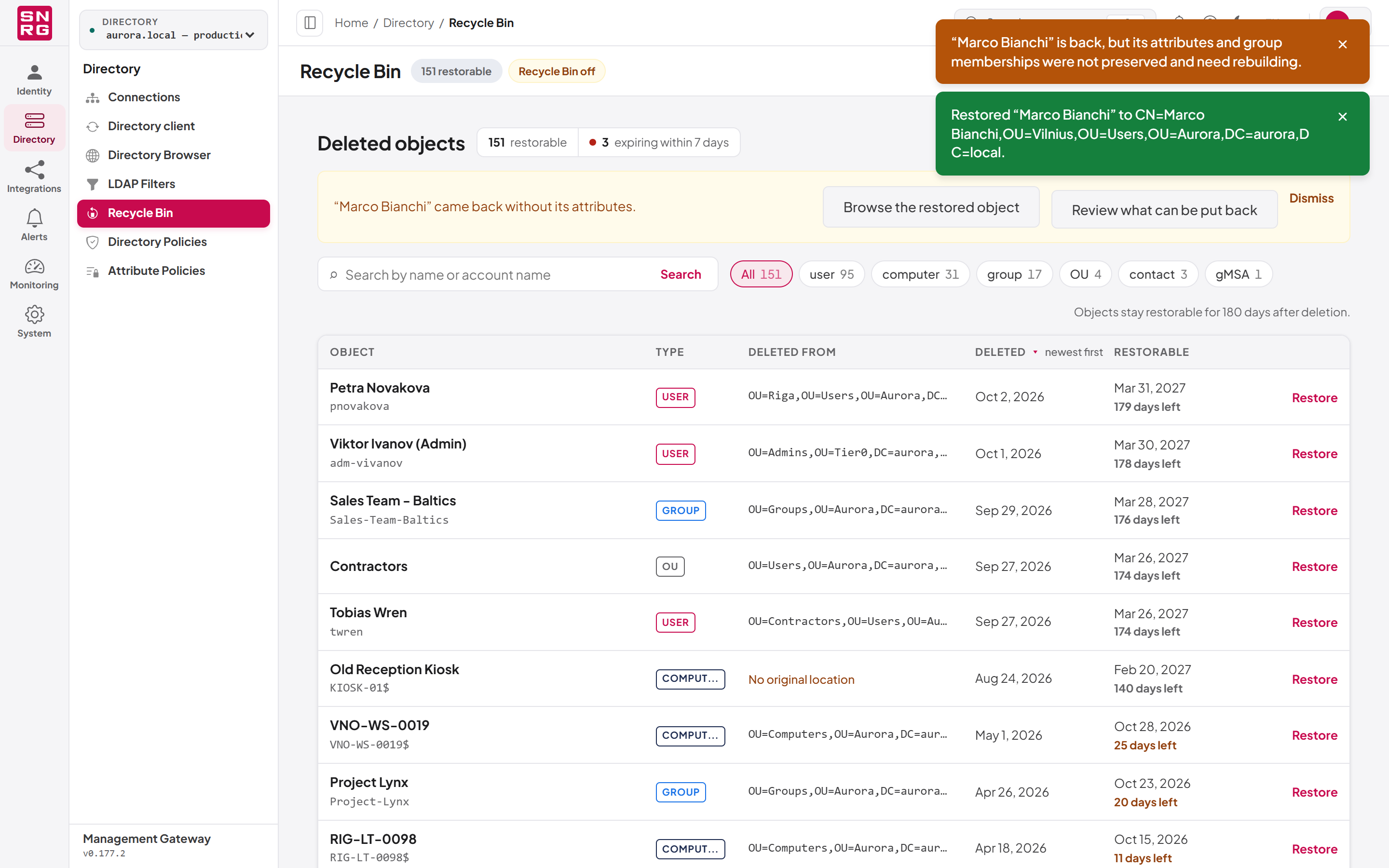
When a restore comes back stripped (because the Active Directory Recycle Bin feature is off), the console shows a warning message ("“name” is back, but its attributes and group memberships were not preserved and need rebuilding.") and an amber banner at the top of the page reading "“name” came back without its attributes." This is your cue to put the attributes back. Doing so is a separate, deliberate step with its own audit record; the Restore object button never writes attributes on its own.
To reapply attributes:
- In the banner, select Review what can be put back (you need
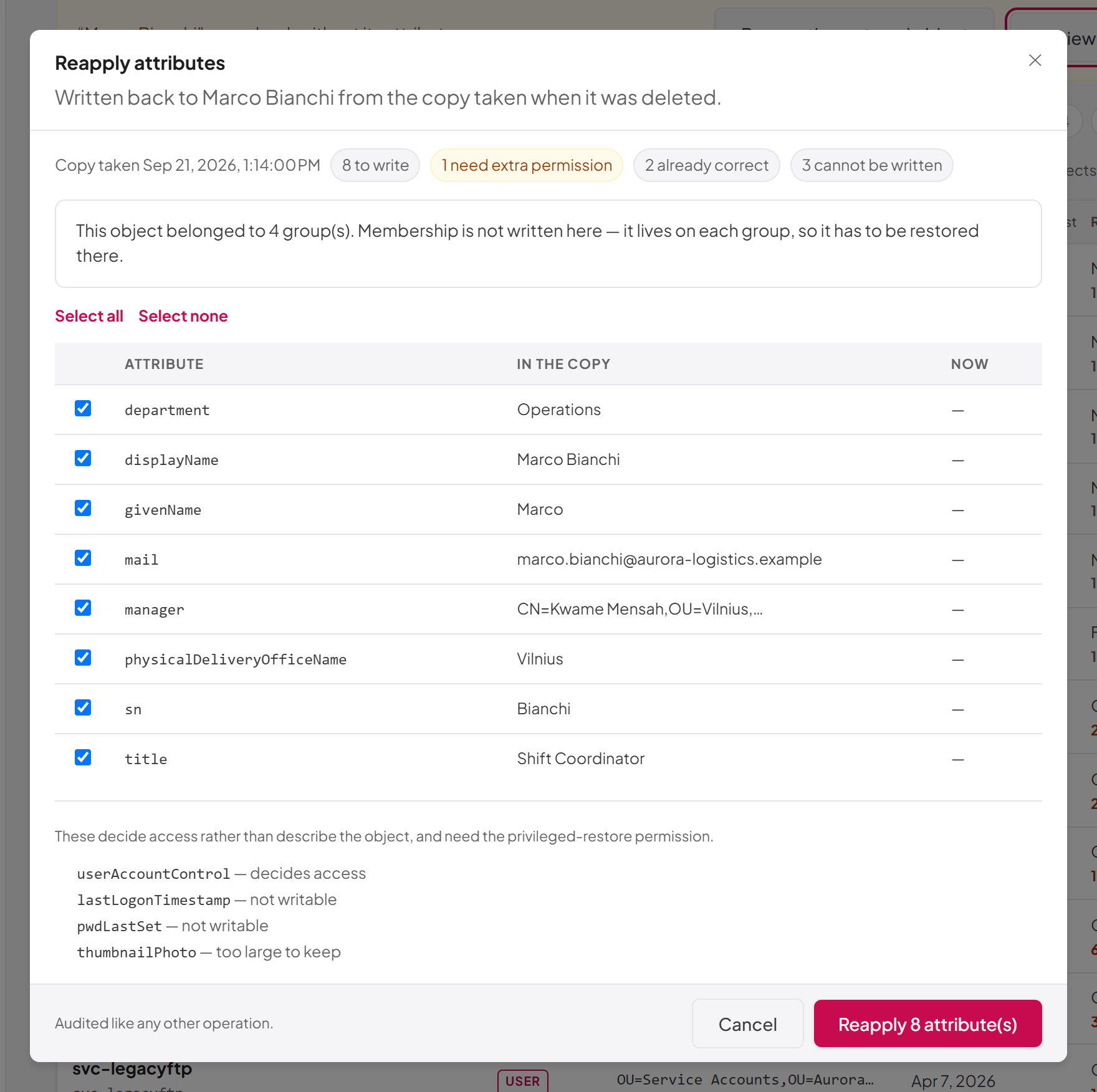
ad:deleted-objects:reapply-attributes). The Reapply attributes dialog opens and reads the stored copy ("Reading the stored copy…"). - Review the summary line: when the copy was taken (Copy taken …), how many attributes are to write, how many need extra permission, how many are already correct and how many cannot be written.
- Review the table. Every attribute that can be written starts ticked. Each row shows the attribute name, the value In the copy and the value the object holds Now. Values are shortened for readability; the full stored value is what gets written.
- Clear the tick of any attribute you do not want written back, or use Select all and Select none.
- Select Reapply N attribute(s).
When it finishes, a message confirms how many attributes were written, and the banner disappears.
What the dialog tells you
| Message | Meaning |
|---|---|
| No stored copy is held for this object… | The object was not deleted through the platform, or its image has passed its retention. There is nothing to put back |
| A stored copy exists but could not be read… | The image is present but cannot be decrypted or read |
| The copy was already partial… | Some attributes were too large to keep when the image was taken, so the object cannot be returned exactly to what it was |
| This object belonged to N group(s)… | The image records group memberships, but they are not written here (see below) |
| Nothing to put back… | The object already holds everything the copy records |
Attributes that will not be written are listed under the table with the reason: not writable (a constructed or system attribute), too large to keep (left out when the image was taken), protected by an attribute policy (an attribute policy makes it read-only or blocks it; see Chapter 10, Operation policies, attribute policies and agent supervision — a blocked attribute's values are not shown) or decides access (needs ad:deleted-objects:restore-privileged; the note "These decide access rather than describe the object, and need the privileged-restore permission." appears when you lack it). If you hold the privileged permission, access-related attributes appear in the table, ticked, with a decides access badge.
Each written attribute replaces the object's current values with the full set of values recorded in the copy; values are not merged.
Group memberships
Group membership in Active Directory is stored on each group, in its member attribute, not on the user. Restoring it therefore means changing each group, which is a separate operation against different objects with its own permissions. The reapply dialog reports how many groups the object belonged to but does not change them. Add the object back to its groups in the Directory Browser (see Chapter 6, Directory Browser) or through the API.
Last updated
Thank you for your feedback.