
11.4The Permissions reference page
Last updated
The Permissions page lists every permission the platform defines, grouped by business area, with a plain-language description of each and a risk label. Use it to understand what a permission allows before you grant it.
Who can use it: permissions:list. The page has no entry in the navigation; open it at its address, /dashboard/permissions. Its title in the top bar is System Permissions.
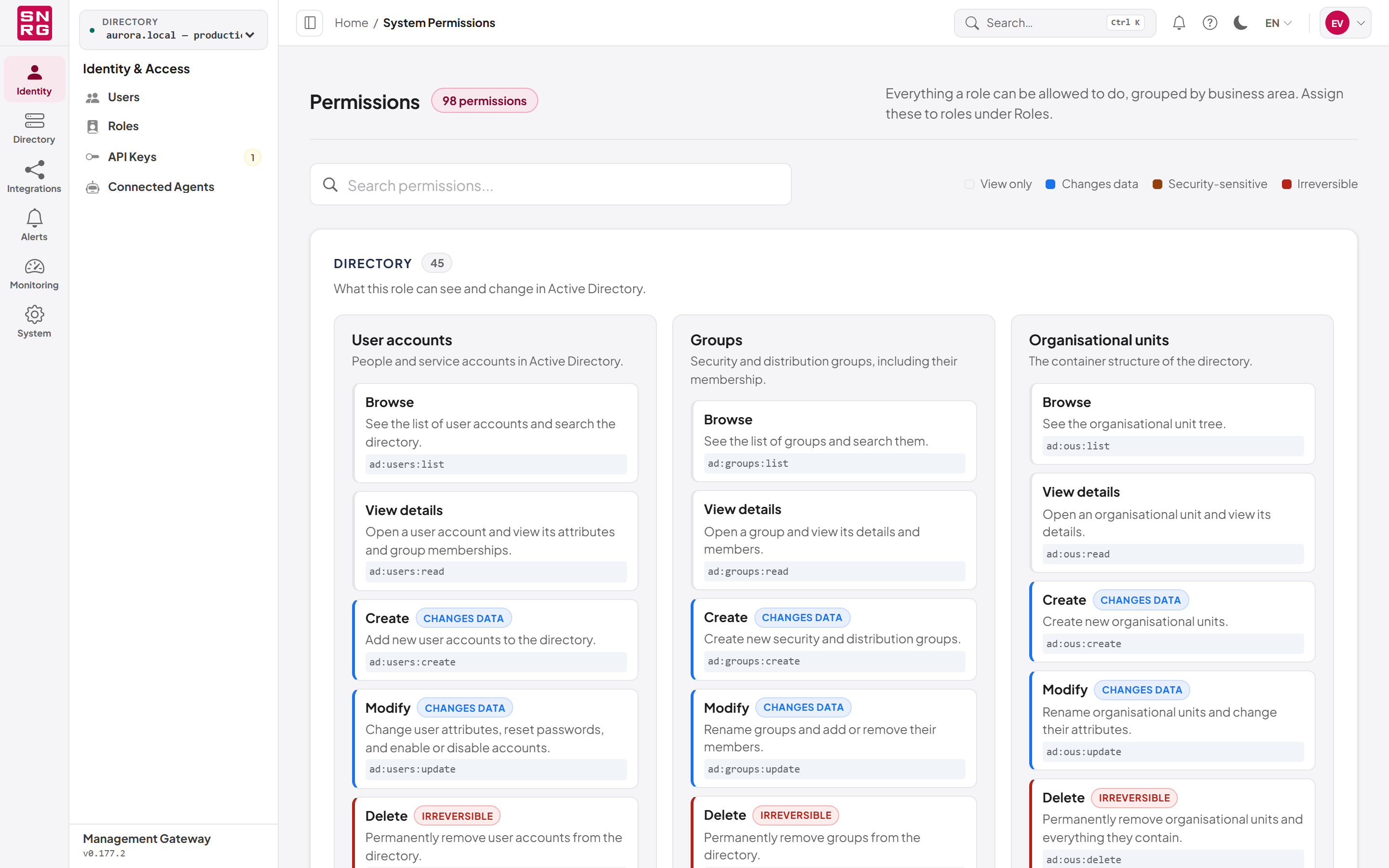
- a search field ("Search permissions...") that filters by name or description;
- a Risk levels legend; hover over a level to see its meaning;
- each category (Directory, Access governance, Oversight and control, Platform administration), its resources, and each permission's action, description and technical name. Every permission is colour-coded by risk; all but the view-only ones also carry the risk label as text.
| Risk label | Meaning |
|---|---|
| View only | Lets the role see information without changing anything. |
| Changes data | Lets the role create or change records. |
| Security-sensitive | Affects who can access what, or the credentials and policies behind it. |
| Irreversible | Removes data or access in a way that cannot be undone from here. |
A permission that has no catalogue description is shown under Uncategorised with its technical name. In this version that applies to audit:verify and audit:export.
Last updated
Thank you for your feedback.