
5.4Testing a connection
Last updated
A test signs in to the domain controller with the connection's stored settings and credentials and reports whether it worked. It takes a few seconds per connection.
You need adconnections:read to test a saved connection.
Testing while you create
On the New AD connection form, select Test connection once all required fields are filled in. The bar at the bottom of the form shows "Checking…" and then either a tick and a success message, or an exclamation mark and the reason the bind failed.
Important: To run this test, the form saves the connection briefly, tests it and then deletes it again, so the operations log records a create and a delete. Deleting needs the System Admin role (see 5.11). If your active role is not System Admin, the temporary connection stays in the Connections list after the test. Check the list and ask a System Admin to delete the extra copy, or test after you create the connection instead.
Testing a saved connection
- On the Connections page, select Test (or Retest) on the row. The row shows "Checking…" and then the result.
- To test every connection on the current page at once, select Check all in the page header.
- On a connection's edit screen, select Test connection in the bar at the bottom. After a result appears you can select Test again.
Note: On the edit screen, Test connection tests the connection as it is saved. If you changed fields in the form, select Update details first and then test, or the test will use the previous values.
Every test you run is recorded as the connection's latest health reading, so the list shows it to everybody, not only to you.
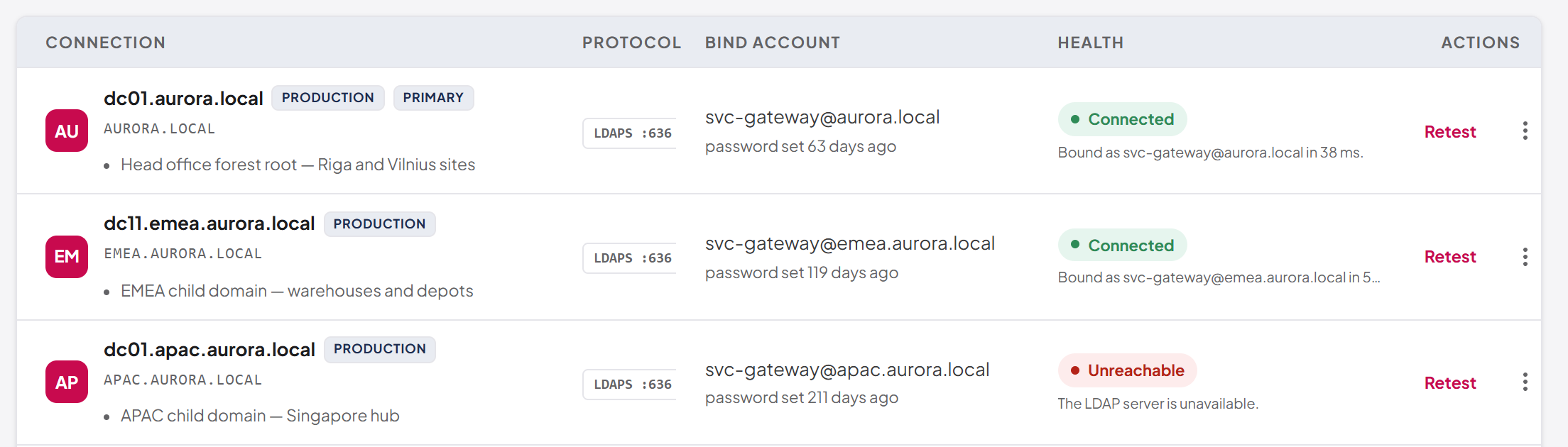
Common reasons a test fails
| Symptom | Likely cause |
|---|---|
| The server cannot be contacted | Wrong host name, DNS cannot resolve it, a firewall blocks the port, or the domain controller is down |
| Invalid credentials | Wrong bind username or password, or the password was changed in Active Directory |
| Account locked, disabled or expired | The service account itself cannot sign in |
| SSL or certificate errors | The domain controller's certificate is not trusted by the platform's server, or the host name does not match it |
| Port refused at save | Use SSL (LDAPS) and the port disagree (see 5.4) |
Last updated
Thank you for your feedback.